
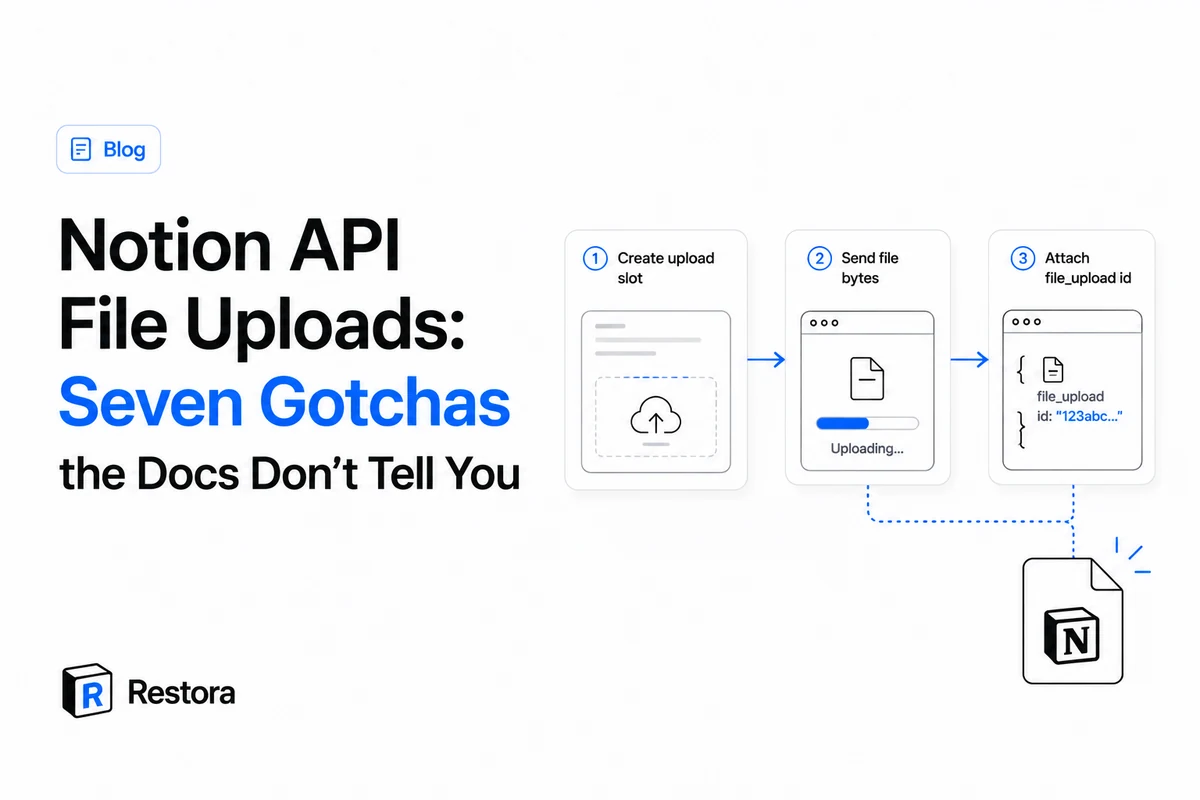
Since May 2025, Notion's public API can do the thing integrations wanted for years: upload real files. The flow is three calls, and the official docs cover the happy path well:
POST /v1/file_uploads— create a pending upload slot, get back anid;POST /v1/file_uploads/{id}/send— send the raw bytes asmultipart/form-data;- Attach the id wherever a file goes:
{"type": "file_upload", "file_upload": {"id": "…"}}.
We've run this flow thousands of times — it's how Restora puts your attachments, icons and covers back into Notion during a restore. Along the way we hit a set of failures that aren't documented anywhere, several of which cost an afternoon each. The error strings below are verbatim from the live API, captured by a probe script — not paraphrased.
1. Do not set Content-Type on the send request
The single most common way this flow fails silently. Step 2 is multipart/form-data with the bytes in a field named file — and the multipart boundary has to be generated by your HTTP client. If you set the Content-Type header yourself (out of habit, or because your request helper adds it to everything), the boundary is missing or wrong and the upload fails in confusing ways.
FormData, append the bytes under the field name file, and let fetch set the header itself. Your generic "always send Content-Type: application/json" wrapper is the enemy on exactly this one endpoint.2. application/octet-stream is rejected outright
The default MIME type most tooling falls back to is not accepted:
The content type application/octet-stream is not supported for the File Upload API.
That's a 400 validation_error, and it means you must know the file's real type — image/jpeg, application/pdf, and so on — before uploading. If your pipeline gets bytes from somewhere that doesn't preserve the content type (a proxy, a generic download), map the extension to a MIME type yourself before calling send.
3. The filename extension is validated separately
Passing a correct content type isn't enough — the filename you supply is checked against its own allowlist:
Provided `filename` has an extension that is not supported for the File Upload API.
So a temp-file name like upload.tmp or an extensionless receipt fails even with a perfect content_type. Give every upload a filename with a real extension that matches the bytes.
4. Free workspaces: 5 MB, and no multi-part at all
The 20 MB single-part limit in the docs is the paid-workspace number. On a free workspace, two separate walls apply, both verbatim:
This workspace is on a free plan and does not support multipart uploads. Use `mode=single_part` to upload files up to 5 MB.
File size of 6 MiB exceeds the limit of 5 MiB.
This is a property of the destination workspace's plan, not of your integration. It matters most when you're moving content into a fresh workspace — a new free workspace will refuse files a paid one accepted. On paid workspaces: single-part up to 20 MB, and beyond that the multi-part flow (create with mode: "multi_part" and number_of_parts, send parts of 5–20 MB each — the last may be smaller — then POST …/complete).
5. The upload id expires in about an hour
An uploaded file that hasn't been attached is a pending object with a clock on it: you have roughly one hour from creation to reference the id on a page, property, icon or cover. Interactively you'll never notice. In a queue or batch job, "upload everything, then attach everything" is a design bug — do create → send → attach per file instead.
The same clock exists on the read side, incidentally: Notion-hosted file URLs you get from the API are signed links that expire in about an hour too. Anything that downloads files out of Notion has to fetch the bytes inside that window.
6. A failed send can't be retried with the same body
Subtle one. If your send request fails transiently (a 500, a dropped connection) and you retry, the retry fails too — a FormData or Blob-backed body is consumed by the first attempt and can't be re-sent. Your retry logic has to rebuild the multipart body from the original bytes on every attempt, not re-fire the same request object. If your retries "never work" on this endpoint, this is why.
7. None of this works from a browser
api.notion.com sends no CORS headers, so direct browser calls are blocked — file uploads included. The flow has to run server-side (or in a local script/CLI), with the token kept out of the page. Related, if you're calling from an AI-agent sandbox: many sandboxes deny network egress by default, and a blocked api.notion.com looks exactly like a broken script. Allowlist the host and start a fresh session before concluding the API is down.
Where the id can be attached — including files properties
A question with no clear answer in the docs: yes, file_upload works in a files property, not just page content. All four attach sites take the same shape:
- Files property (add a
name):{"type": "file_upload", "file_upload": {"id": "…"}, "name": "receipt.pdf"} - Image or file block in the page body (caption optional)
- Page icon
- Page cover
The checklist
Before you debug anything else, check these in order:
- No manual
Content-Typeheader on/send; bytes in a field namedfile. - A real MIME type — never
application/octet-stream. - A filename with a supported extension that matches the bytes.
- Destination workspace plan: free = 5 MB and single-part only.
- Attach within an hour of creating the upload.
- Retries rebuild the multipart body from the original bytes.
- Server-side, not browser; sandbox egress allowlisted.
Every one of these came out of building backup and restore for real workspaces — where a file that silently fails to upload isn't a log line, it's someone's attachment not coming back. If you'd rather have the files handled for you, the free half of Restora backs them up with the databases they belong to; you only ever pay to restore.