
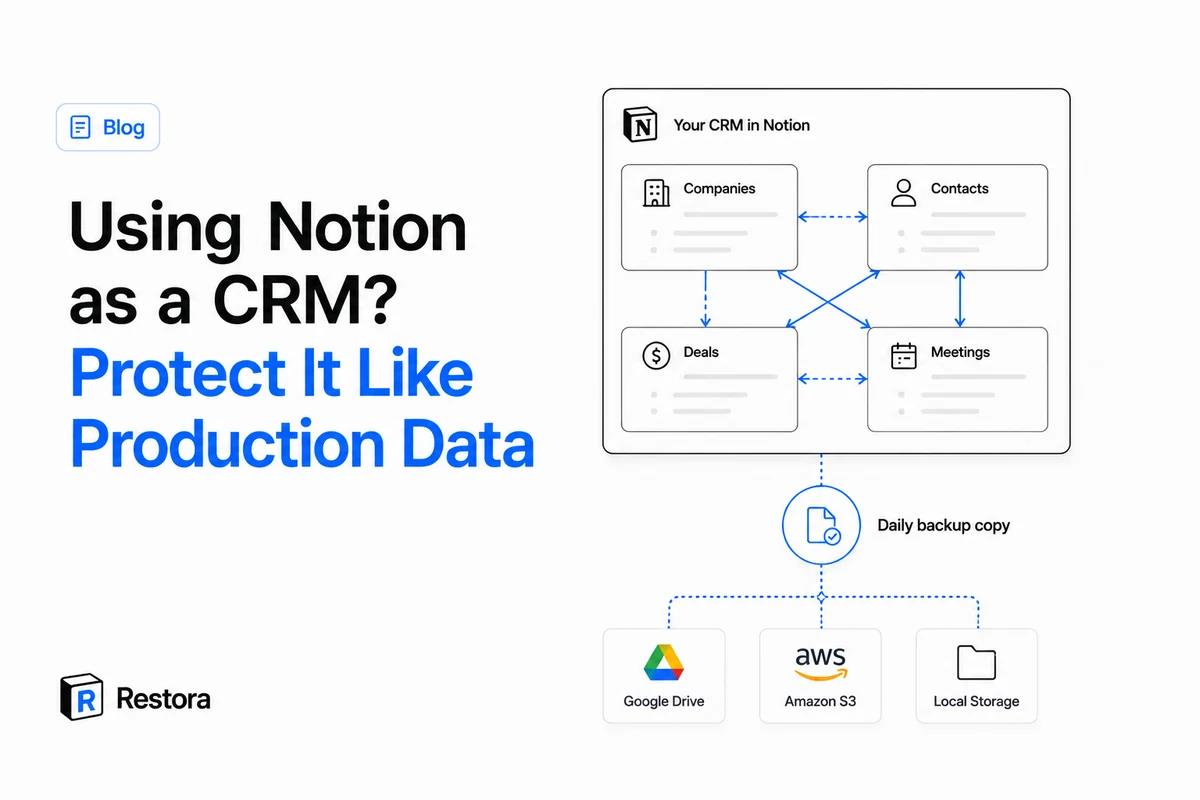
Nobody plans to build a CRM in Notion. It starts as a Companies database because you needed somewhere to keep notes on prospects. Then a People database, related to Companies. Then Deals, related to both, with a rollup showing pipeline value. Then meeting notes land on the client's page, and suddenly the question "what did we last tell this customer?" has exactly one answer, and it lives in Notion.
For a small team this is genuinely a good setup — better than most starter CRMs, because the notes, the tasks and the relationships live in one place. The catch isn't functionality. It's that somewhere along the way, notes became production data, and nothing about your protection changed to match. Salesforce shops have admins, sandboxes, and recycle bins with audit trails. Your CRM has a trash can with a 30-day timer.
CRM data isn't note data
Three things make a client database categorically different from the rest of your workspace:
- The relations are the record. A contact who isn't linked to their company, their deals and their meetings is just a name. In a CRM built from linked databases, the connective tissue — relations, rollups, the board grouped by deal stage — carries most of the value. It's also precisely the layer that Notion's own export throws away: a Notion export
.zipkeeps your text and strips the structure. Back up linked databases together, too — a relation can only be restored if the database it points to was captured as well. - Meetings can't be re-run. A deleted project doc can be rewritten from memory. A transcript of a call from March, with what the customer agreed to, cannot. Once meeting records live on client pages, part of your workspace is unrecreatable by definition.
- More hands touch it. A CRM is shared by design — teammates update stages, automations write rows, and increasingly an AI agent does the data entry. Every additional writer is another way for a property to get retyped or a row to get "cleaned up."
The safety net you think you have
Most teams running a Notion CRM believe they're covered by some combination of four things. Each protects less than it appears to:
| Layer | What it protects | Where it stops |
|---|---|---|
| Trash | Deleted pages and databases | 30 days, then permanent — and you have to notice the deletion in time. Deletions inside a busy shared workspace routinely go unnoticed for weeks. |
| Version history | Page content over time | It doesn't version the database schema. A property type change that discards cell data isn't in the history, and history can't be exported or restored in bulk. |
Export .zip | Your text, as files | Relations, rollups, views and the board layout are gone. For a CRM, that's the difference between a database and a phone book. |
| "Notion has backups" | Notion's own infrastructure | Notion says its support team can restore a snapshot from the past 30 days on request. Useful — but it's their process on their timeline, you have to know what to ask for, and nothing older than 30 days is covered. |
How Notion CRMs actually break
A property gets retyped during a cleanup. Someone converts the Status select to text, or "simplifies" a relation — and every rollup, filter and pipeline view built on it degrades at once. Some conversions discard cell data immediately, and the in-session undo is gone the moment they refresh.
A database gets emptied or deleted, and nobody notices for a month. The 30-day trash window only helps if the deletion is discovered inside it. In a workspace several people touch daily, "when exactly did the old clients archive disappear?" is usually answered by nobody.
An automation or AI agent writes to the wrong rows. The same threads that recommend building your CRM in Notion recommend automating the data entry — enrichment, meeting summaries, status updates. Agents are excellent at "update the status" and bad at noticing they matched the wrong client. We've written up what that looks like and how to snapshot before every agent run.
Someone leaves. Offboarding a teammate who owned half the client pages is exactly when pages get reorganized, permissions change, and things quietly vanish.
What production-grade actually means
If a database is the system of record for your revenue, it deserves the same treatment a production database gets anywhere else. Concretely:
- Automatic, daily, off-platform. A backup that depends on someone remembering isn't one. It should run on a schedule, land outside Notion in storage you own (your Google Drive or S3 bucket), and email you when a run fails — not silently skip.
- Restorable, not just downloadable. The test of a CRM backup is whether it can rebuild the working database — relations reconnected, rollups recomputed, the pipeline board grouped correctly — not whether it produced files. Restoring a relational database is the hard part, and it's exactly what a flat export can't do.
- Point-in-time. "Restore the Deals database as it was last Tuesday, before the bad import" requires a timeline of backups, not one overwritten copy.
- Watched, not assumed. Because deletions get noticed late, you want something comparing your last backup against the live workspace and flagging "this database was emptied" the day it happens, not the month you go looking.
- Told the truth. Whatever tool you use should tell you exactly what is and isn't in each backup — named files it skipped, comments it could or couldn't read — in counts, not reassuring percentages.
That list is, not coincidentally, what the free-to-backup half of Restora does: scheduled backups straight to your own cloud, point-in-time restore, a drift monitor for deletions, and a per-backup coverage report. Client discussions in page comments can be pulled out too, with the free comment exporter.
What a backup honestly won't fix
Worth stating plainly, because CRM threads are full of overpromises:
- It won't make Notion faster. The most common complaint about Notion-as-CRM at scale is sluggishness on heavy databases. A backup protects the data; it does nothing for performance. If you've outgrown Notion's speed, that's a migration decision, not a protection one.
- It can't recover what was never captured. A backup protects you from the moment it exists, forward. Data lost before your first backup is subject to Notion's own trash and history limits, and once those windows close, it's gone for every tool.
- A restore isn't a time machine for identity. Restored databases are new objects in Notion: page IDs change (so hard-coded automations need relinking) and person-type values come back only when that person still resolves in the workspace — the rest are named in the report. A good tool discloses this before you restore; the full list is on our scope page.
The two-minute version
If your client database lives in Notion: you've already decided Notion is your CRM — the only open question is whether it's protected like one. The gap between "notes tool safety net" and "production data safety net" closes with one scheduled backup to storage you own. It's free, it takes about two minutes, and the day a property gets retyped or the Deals database turns up empty, it's the difference between a bad hour and a bad quarter.