
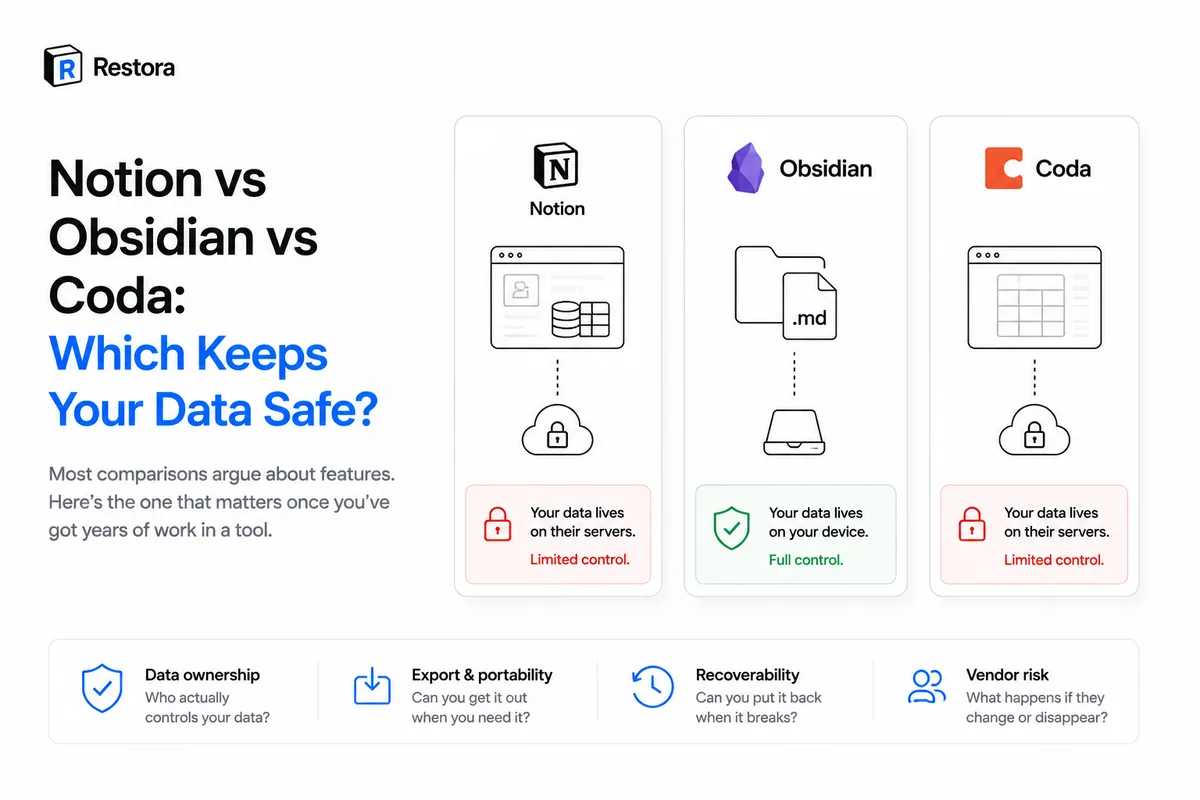
You can compare Notion, Obsidian, and Coda on blocks, databases, plugins, and pricing for a week and never touch the question that decides how much you'll regret your choice: who holds your data, and can you get it back?
Features are how a tool feels on a good day. Data ownership is how it feels on the worst one — the accidental delete, the billing lapse, the outage, the day you want to leave. On that axis, these three tools are genuinely different, and the differences aren't about which is "better." They're about what you're trading away.
The one axis that matters: where does your data actually live?
Obsidian — you already hold it
Obsidian stores your notes as plain Markdown files in a folder on your own disk. That's the whole design, and it's a real advantage: your data isn't in anyone's cloud by default, "backing up" is just copying a folder, and if Obsidian vanished tomorrow your notes would open in any text editor. On pure ownership, nothing here beats it.
The trade-off is capability. Obsidian isn't a relational-database tool the way Notion is — its databases are lighter, collaboration isn't its strength, and sync across devices is a paid add-on rather than the default. You own everything; you just have less of the connected-database machinery that pulls people into Notion in the first place.
Notion — power you don't hold a copy of
Notion is the opposite trade. Relational databases, rollups, formulas, real-time collaboration, a shared team workspace — genuinely powerful, and all of it lives on Notion's servers. You don't have a local copy, and the built-in export is lossy: relations flatten to text, rollups and formulas save frozen values, and views are dropped entirely (the full list of what's missing). So the more you build in Notion, the more capability you get — and the wider the gap between "my data" and "a copy I actually hold." Notion doesn't back it up for you, either; version history and Trash are safety nets on Notion's clock, not an off-site copy.
Coda — Notion's trade, again
Coda plays in the same space as Notion: a powerful doc-and-table hybrid with strong collaboration, living on Coda's cloud. Its exports carry similar fidelity limits, and like Notion, you don't hold a local copy by default. If you're weighing Coda for data-safety reasons over Notion, the honest answer is that they're close — both hand you power in exchange for not possessing your own data.
Side by side, on the axis that counts
| Notion | Obsidian | Coda | |
|---|---|---|---|
| Where data lives | Notion's cloud | Your disk (Markdown) | Coda's cloud |
| You hold a local copy | No | Yes, by default | No |
| Relational databases | Strong | Light | Strong |
| Export fidelity | Lossy (structure dropped) | It's already your files | Lossy |
| Lock-in risk | Higher | Very low | Higher |
| Backup = ? | Needs a real one | Copy a folder | Needs a real one |
The honest verdict
If ownership is the only thing you care about, Obsidian wins — your notes are files you already hold. But most people don't choose Notion or Coda by accident; they choose them because the relational databases, the collaboration, and the shared workspace do things a folder of Markdown can't. Telling a Notion team to switch to Obsidian for safety is telling them to give up the reason they're on Notion.
So the real question usually isn't "which tool is safest." It's "can I keep the tool I actually want and still own my data?" And for the cloud tools, the answer is yes — you just have to add the part they leave out.
Closing the gap without leaving Notion
A structured backup gives a cloud tool the one thing Obsidian has for free: a copy you hold. This is what Restora does for Notion — it keeps a structured, restorable copy of your workspace on storage you own (your Google Drive, an S3 bucket, or a local folder), and no copy is kept on Restora's servers. Because the backup preserves databases as definitions rather than flattened rows, it can be rebuilt back inside Notion with relations and views intact — not just archived.
The result is the best of both trades: Notion's power, plus Obsidian-style ownership sitting quietly in your own storage. The open-source CLI is free (npx @restora/cli backup); the hands-off Pro web app is $6.99/month and adds scheduled backups and deletion alerts.
Whichever tool you land on, the lesson is the same: the safest setup isn't the one with the most features, it's the one where a copy of your work lives somewhere you control. Obsidian gives you that by default. On Notion or Coda, you add it — and then the power comes with none of the exposure.